
Password protect any file
If you need to protect confidential information on your PC then this nifty solution from those clever people at Google could be your saviour.
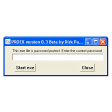
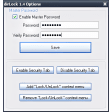
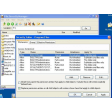
The simple tool gives you the power to automatically apply a password to any type of file as soon as it is created so that it can only be accessed with this password.
If you forget the password then unfortunately there's no way of retreiving it through FLocker, although the program does leave the original, unprotected version of the file in tact, so you can revert back to this.
A safer bet is to store all your passwords in a password management application. It's a shame that this program doesn't boast these capabilities though.


.png)

.png)

.png)




















User reviews about FLocker
Have you tried FLocker? Be the first to leave your opinion!